One card at your cursor for text, code, data, images
and files. Everything runs on your Mac.
Clipboard first
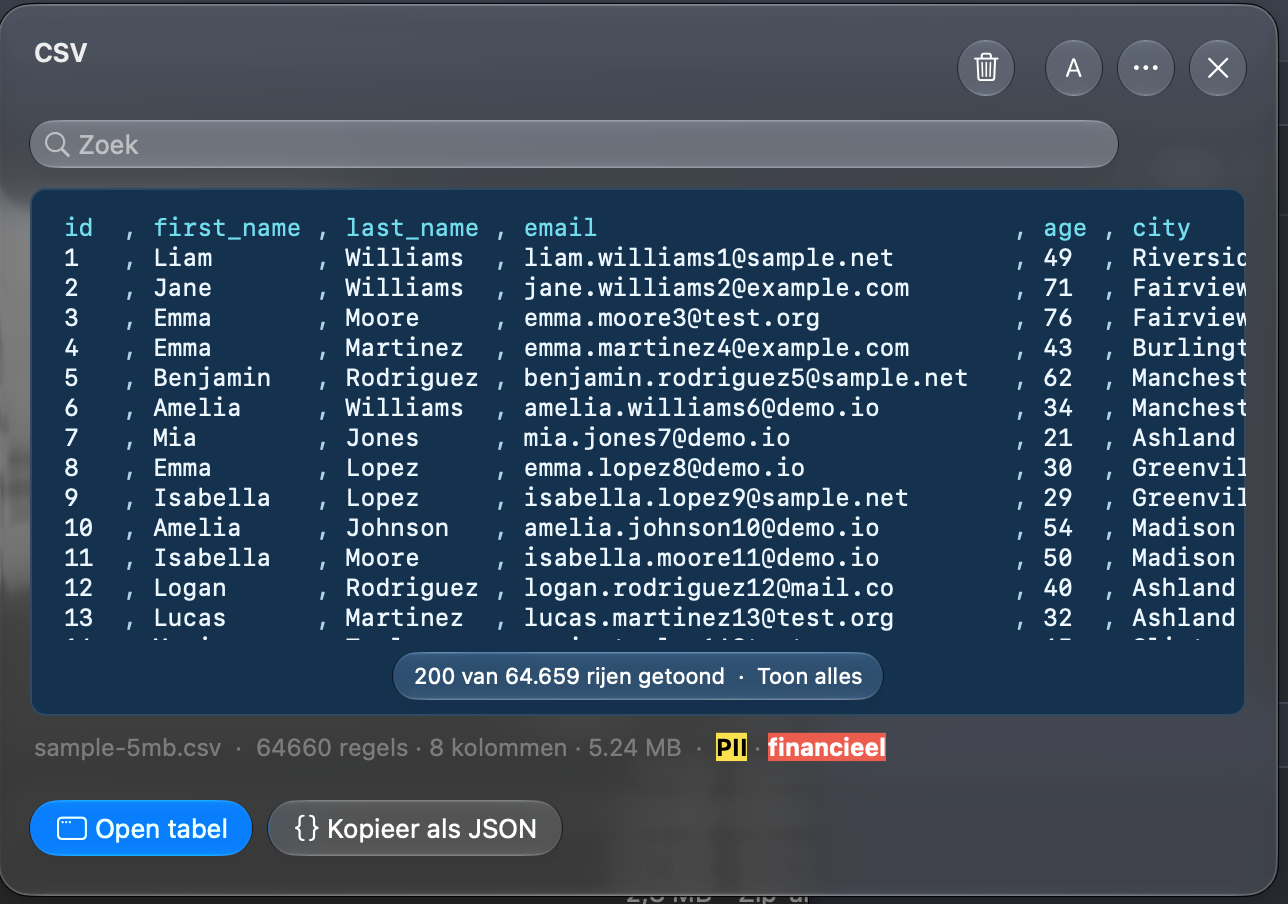
⌃⌥Space opens a card at your cursor, a click on the menu bar icon opens it under the icon. With Watch clipboard (opt-in, one click on the welcome screen), it shows your latest copy and keeps 20 copies and 20 pinned items in memory, searchable and with a diff of two copies. Not turned on, press ⌘V on the card. You can also drop an image, a PDF, a Word file or a zip on it, or open a CSV, TSV or JSON file with Choose File.
Recognizes and decodes
JSON, YAML, XML, HTML, Markdown, code (Rust,
Java, Python), URLs and CSV/TSV are recognized
and formatted. Decodes JWT, UUID, Unix time, ISO
8601, URL, Base64 and hashes, and converts YAML
to JSON.
Text menu and snippets
Filter or reverse lines or take a column, clean up URLs, case style, Base64, URL and hex encoding, SHA-256, SHA-1 and MD5, and a QR code. Edit | Read on every text card: Read shows the text in pages with keys like less (Space, b, j/k, g/G) and / to search; ⌘E switches. Snippets with fields to fill in, and new UUIDs and timestamps.
Screenshots with text recognition
⌃⌥4 takes a screenshot of an area, a window or
the whole screen, straight to the clipboard. The
text in it is recognized on your Mac; drag the
thumbnail to share it.
Images and documents
Read text and QR codes from images, resize,
rotate, flip, grayscale and remove metadata; save
as PNG, JPEG or HEIC. Text from PDF (scanned
too) and Word, and view and extract a zip.
Table window
Open a CSV or TSV, or a JSON list of objects you chose yourself, as a table: search, sort, choose columns, remove duplicate and empty rows, with undo. Profile shows missing values, types and outliers; Copy Profile puts it on the clipboard. Copy as JSON or CSV, or save as CSV.
Chart, saved as PNG
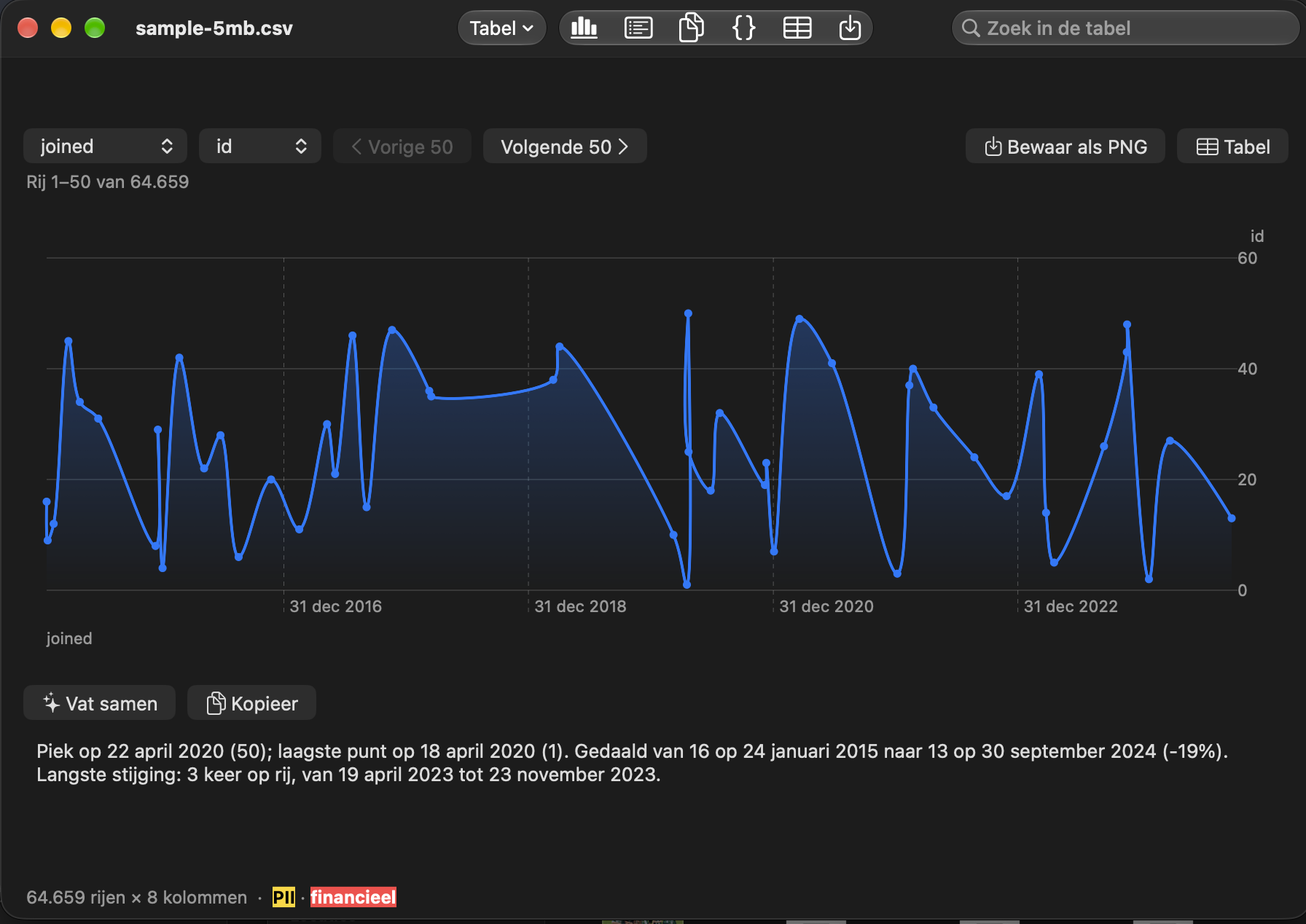
Choose columns and see them as a Chart in the table window. Save as PNG, have the trend summarized in words with Summarize, or let Explain explain a column's outliers, on your Mac.
AI on your Mac
With Apple Intelligence: summarize, rewrite, fix
spelling and translate (NL↔EN), explain code and
explain the structure of JSON or YAML. All on
the device; needs a Mac with Apple silicon.
Edit on the card
Type in the card's text to change it. ⌘S or ⌘↩ saves it as a new version (Save as Version); the first Esc cancels the edit, the second closes the card.
History strip
The small cards under the card are your recent copies. A click shows one on the card, a double click copies it again. The copy edited versions came from is marked · Original.
From your iPhone or iPad
Copy on your iPhone or iPad and, through Apple's Universal Clipboard, the copy is on the card, labeled From another device. Needs Watch clipboard, or press ⌘V on the card.
Fully offline
No network access, no account, no analytics,
telemetry or crash reports. History is kept in
memory only; only snippets you save yourself go
to disk. Read the
privacy policy.